

Mapping API
Overview
There are many ways to support facets and their navigation in HawkSearch as is outlined in this developer portal:
These values are always coming from the indexing process and the source is typically the system of record: eCommerce platform, database, PIM, etc.
Virtual facets through Mapping API
Note
This mapping is associated with the index itself so if you are building this type of virtual navigation then you should include it in all indexing processes.
However, there are times when you may want to provide your own facet value outside of the data feed itself. In this case you would leverage the Mapping API. The Mapping API allows you to create a label and value for a facet and add it to any existing data that you are indexing.
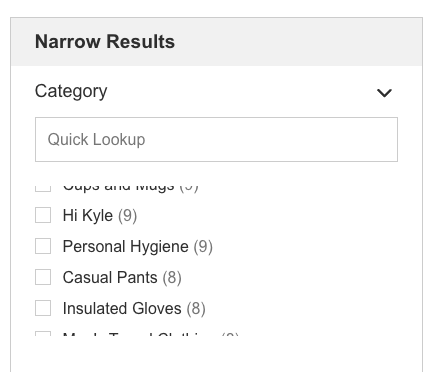
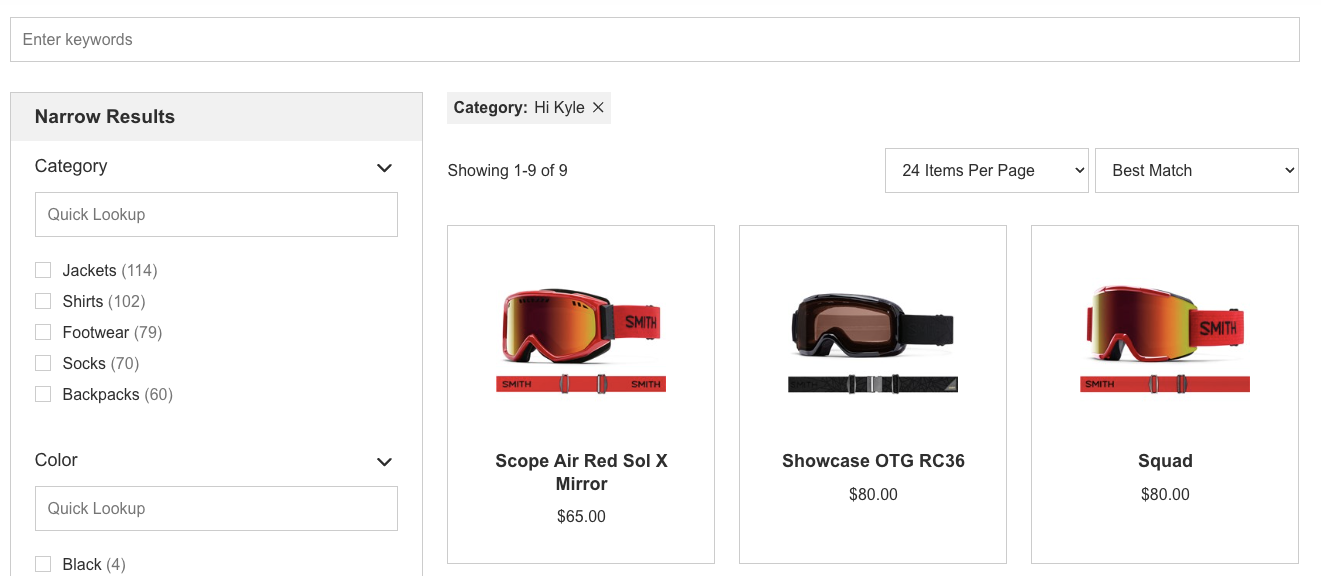
Once again, we'll start with the QuickStart data which as you will remember has a field called "category" and an associated facet which provides options for "Jackets," "Goggles," "Hiking Shoes," etc. Since my colleague Kyle asked me over 100 times to document the Mapping API, we'll use this API call to add an option in my facet for "Hi Kyle."
POST https://indexing-dev.hawksearch.net/api/mapping/upsert
{
    "indexName": "name.xxx.xxx",
    "Mappings": [
        {
            "Field": "category",
            "Label": "Hi Kyle",
            "Value": "Goggles",
            "SortOrder": 1
        }
    ]
}
This adds a fun navigation item to the Category facet:
And when that is clicked you get the results for "Goggles"
Updated 3 months ago