

Front End Search
The Shopware Connector for HawkSearch also provides a reference example of the front end search using the same default templates that are part of your Shopware code base.
Search Bar

Once the connector is installed, the search bar will automatically start returning results from HawkSearch. The front end will look the same and the layout of the results will look the same, but the results themselves will be from HawkSearch and take advantage of all of the merchandising rules available in the platform.
Instant Engage
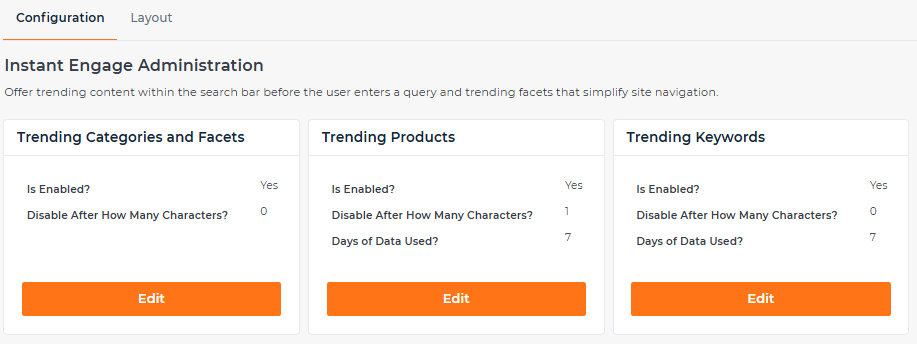
This is a new feature that is available through the connector as long as you turn it on in HawkSearch. Details for doing so are here: https://userguide.hawksearch.com/docs/instant-engage. The feature uses machine learning to present trending products and searches based on site activity. It appears under the search bar as soon as you click it.
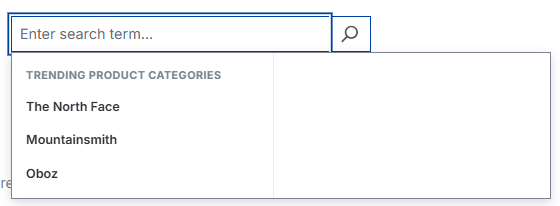
These are the settings that are available from HawkSearch to turn on:
Autocomplete
The Autocomplete feature from HawkSearch is similar to Shopware, but there are more options for displaying results:
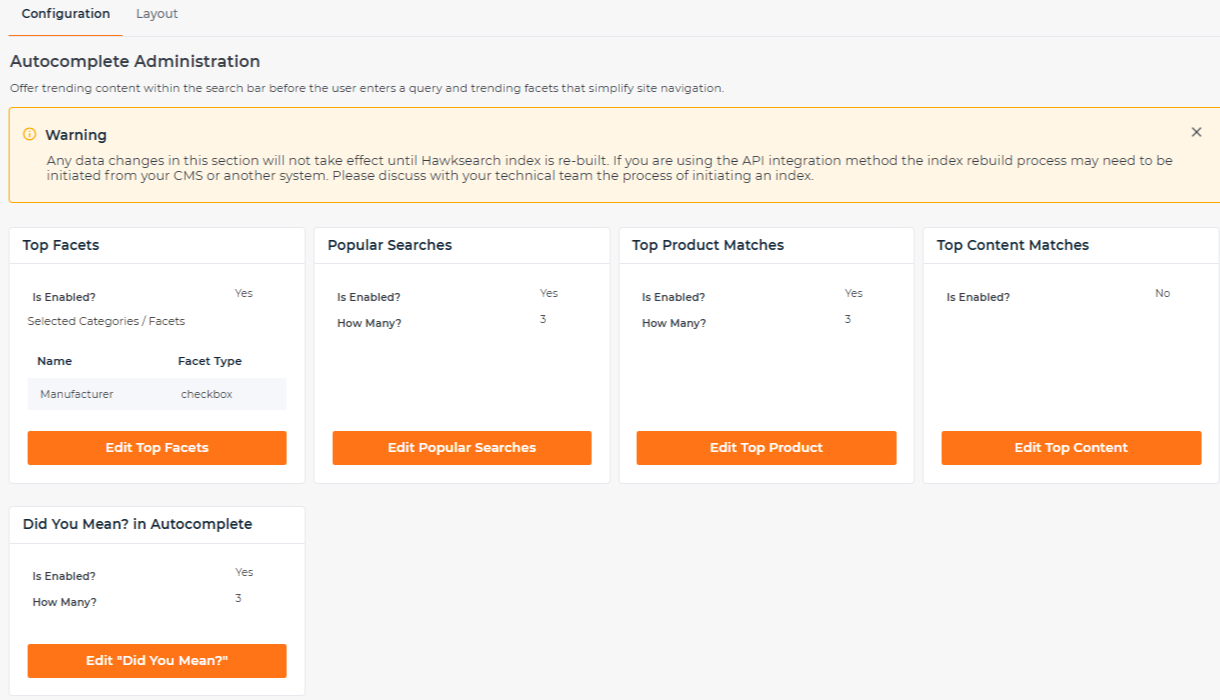
Each of these options will appear within the Autocomplete dropdown:
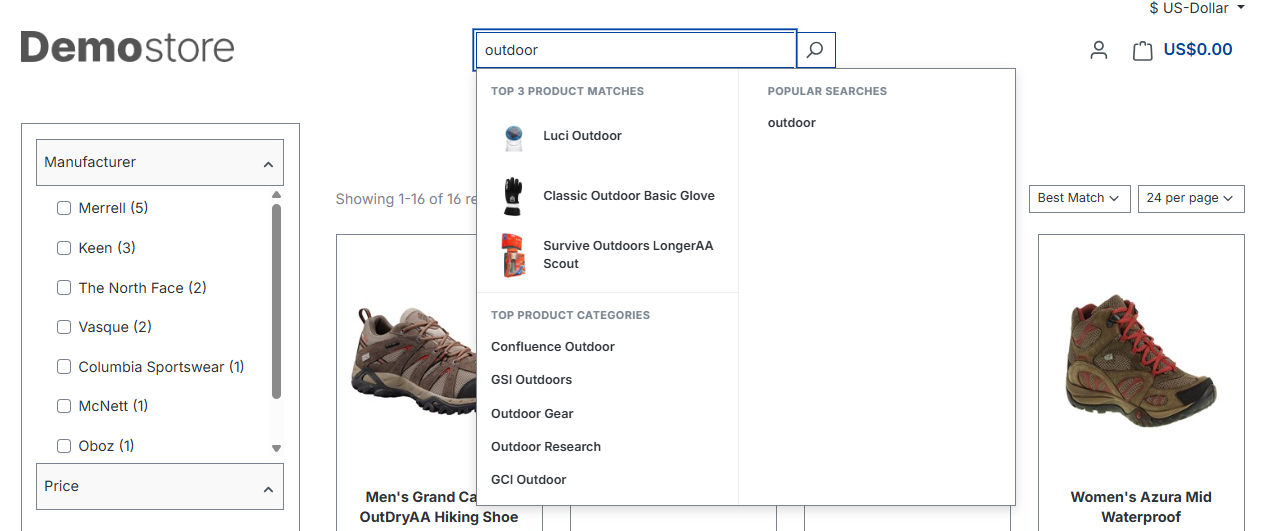
Search Results
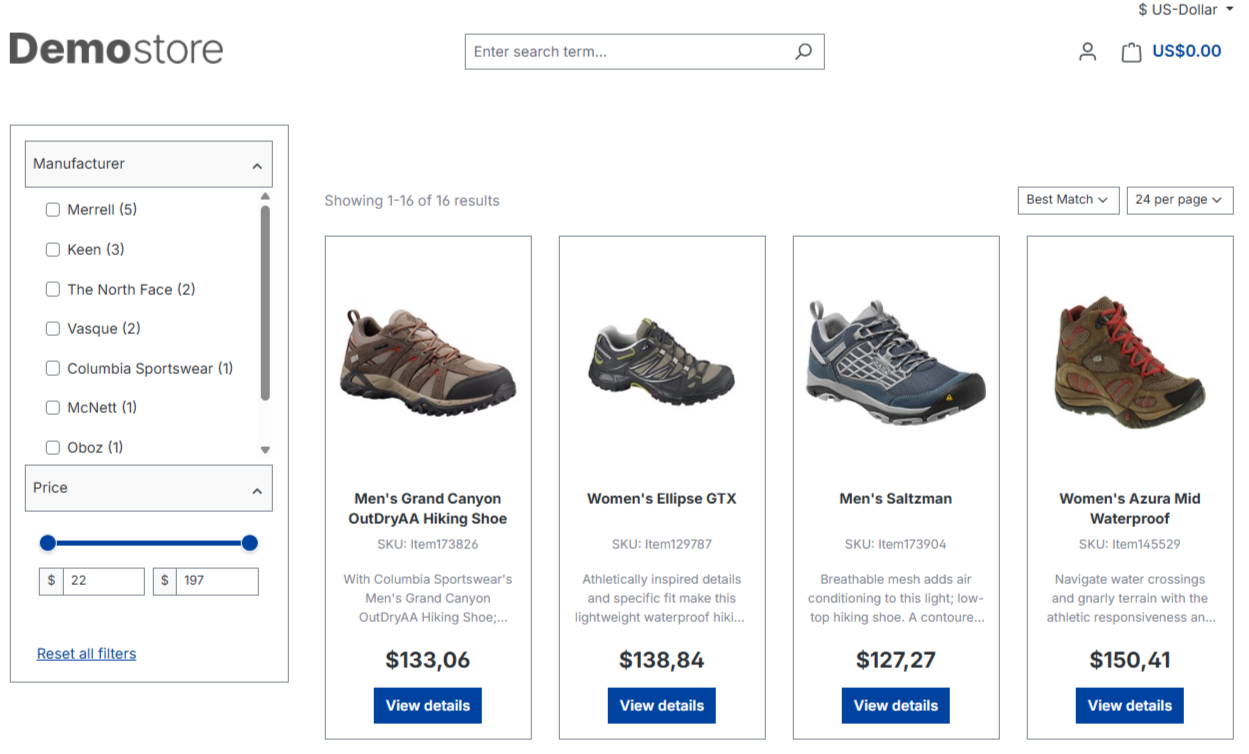
The search results will appear the same as the original search template of your site. The difference will be in the merchandising options that will return more relevant results which in turn will drive better conversion rates.
Did you Mean
HawkSearch uses a language analyzer and dictionary of common terms which means when a user types in a word incorrectly, the search will return an option for "Did you mean" using the correct spelling. Of course, there could be a situation where the common spelling is wrong and there is an option for the user to re submit the request using that spelling. There are more details here: https://userguide.hawksearch.com/docs/did-you-mean-1
Headless
If you plan to use the Headless option from Shopware that is supported through HawkSearch's API's directly. The API's are all documented here: https://developerdocs.hawksearch.com/reference/searchv2_search-1
Rapid UI
If you would prefer to use the HawkSearch Rapid UI framework, that is also possible. You would simply need to disable the search option on the front end site and replace it with the Rapid UI code which is explained here: https://developerdocs.hawksearch.com/docs/rapid-ui-overview.
Updated 8 months ago