

For Pre-Populated Engines
Overview
At HawkSearch, being able to test our product under a variety of conditions is paramount in the development process. Luckily, QuickStart enables developers to create and customize their own HawkSearch sandboxes both quickly and easily. Here, you'll learn how to create your own pre-populated engine from scratch and populate it with your own fields and facets.
Although there are many ways to work with HawkSearch, this sandbox setup will leverage Postman. Don't worry if you're unfamiliar with Postman-- our video guide will walk you through the process.
Our pre-populated engine utilizes this sample file.
Create Your Engine
For this guide, you'll need to have your own HawkSearch engine.
To get started with sandbox creation, please go to https://quickstart.hawksearch.com/.
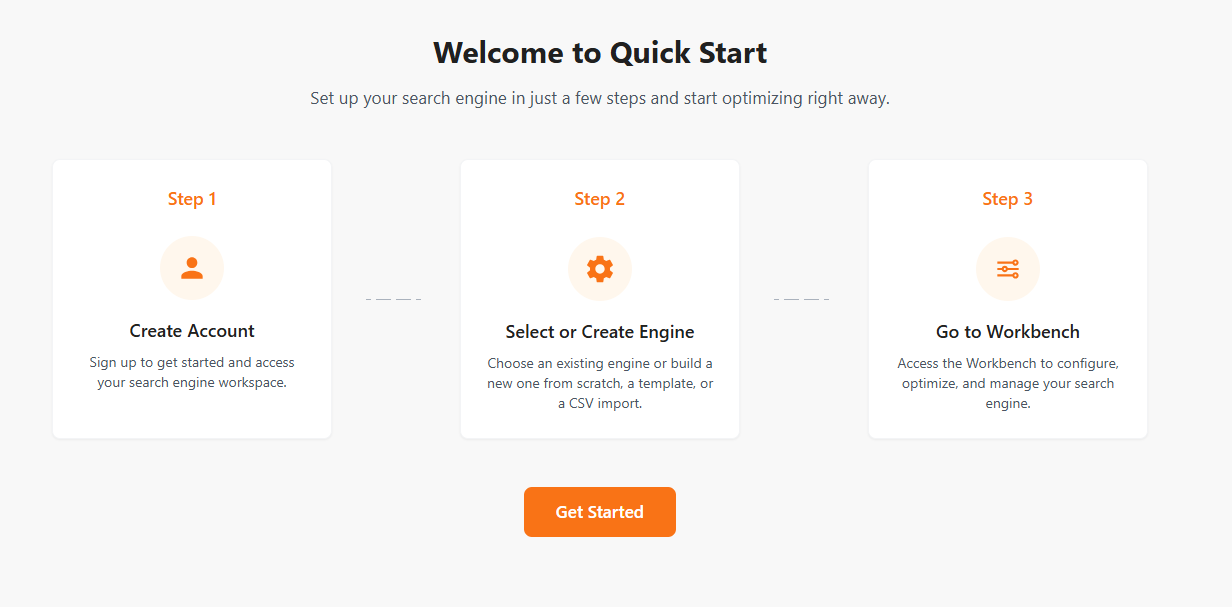
Upon loading, you should be greeted with the following screen. Select Get Started.
Create your account by inputting the required information.
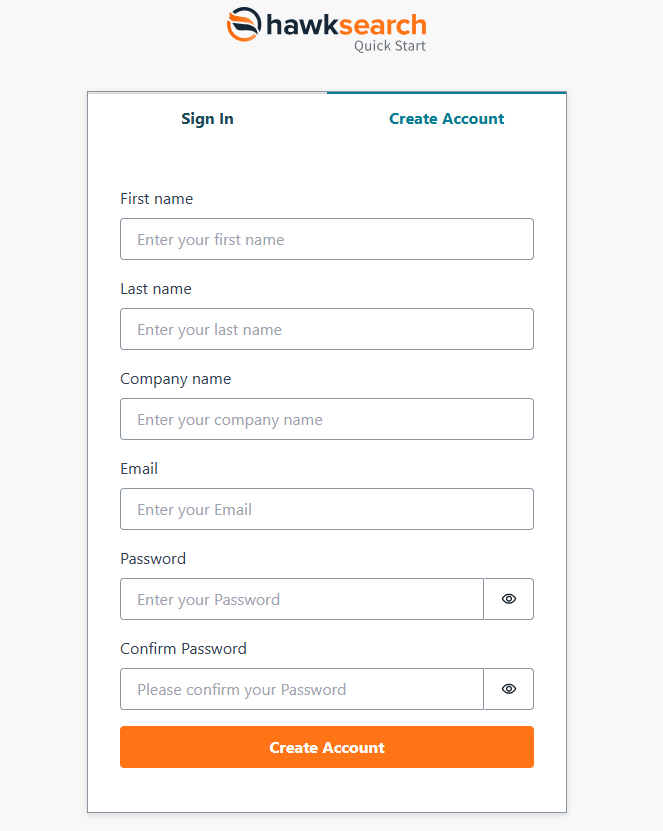
After clicking Create Account, you should now arrive at the Engine Configuration page. Here, you'll input the name for your sandbox, with your contact name already provided as the email used to log in.
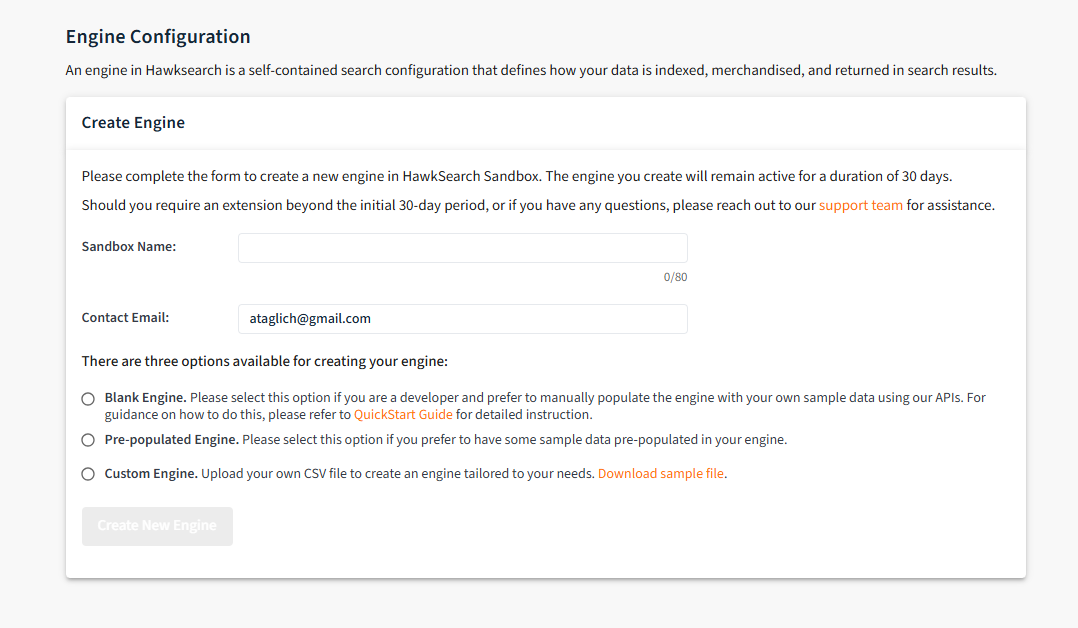
QuickStart's multiple engine options allow developers to create a sandbox with variable amounts of data already added. Since this is the guide for pre-populated engines, we'll be selecting that.
Once the Create New Engine button has been clicked, details regarding your engine will be emailed to you shortly once set up is complete. Don't worry if this email isn't sent immediately-- the system is working to set up your engine during this time!
If you do not receive an email, there might be an engine already associated with that email. In that instance, please contact our support team for further steps
What's Next?
Congratulations! You've now created your engine. For more information, please check out the Sample Page or browse the files underneath Play In Your Sandbox.
Updated 4 months ago