

Environments and Endpoints
Overview
This documentation guides you through HawkSearch's environments and endpoint architecture. You'll learn:
- Available HawkSearch environments and their purposes
- How to get support for customer-specific endpoints configuration
- How customer-specific endpoints work and their structure
- The benefits of using customer-specific endpoints
Getting Started
To start using your customer-specific endpoints, please contact our CSD team, they will:
- Set up your customer-specific endpoints across all environments
- Provide guidance on implementation
- Ensure smooth configuration of the new endpoints
Environments Overview
HawkSearch Provides 3 distinct environments to support your development lifecycle:
- Development: For initial development and testing of new features
- Test: For quality assurance and user acceptance testing
- Production: For live, customer-facing implementations
Customer-Specific Endpoints (Vanity URLs)
What is customer-specific endpoints?
Customer-specific endpoints are customized and branded web address designed specifically for your organization. Each HawkSearch client will receive a unique endpoint URL based on their engine name. The format for your endpoint URL is ..-.hawksearch.com.

An example Vanity URL for an dev engine named demoengine located within North America.
Here's a breakdown of the components:
-
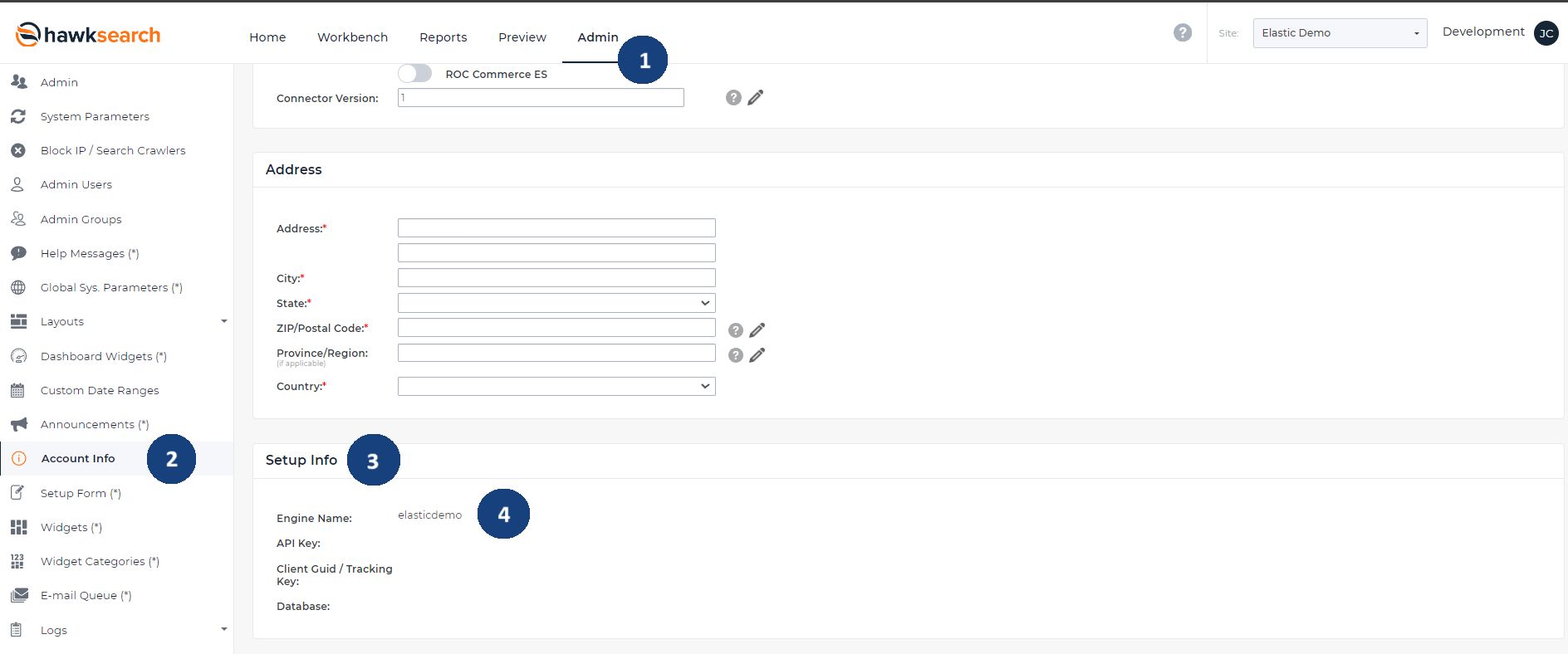
<engine name>: This is your unique engine name. To find your engine name, please go to Admin > Account Info > Setup Info > Engine Name.
-
<env>: This represents the environment. Development environments have
dev, and Test environments havetest. Production environments do not have any suffix, and would omit this value. -
<component>: This specifies the component you are accessing, such as search, index, tracking, dashboard, etc. Components and their corresponding value are listed in the table within the API in Each Environment section.
-
<region>: This indicates the region. The following table shows the regions and their corresponding region code.
Region Region Code North America naAsia asia
Benefits of Customer-Specific Endpoints
- Dedicated infrastructure: each customer-specific endpoints operates on dedicated resources, ensuring consistent performance.
- Enhanced Security: provide isolated environments, ensuring secure and protected access to your search services.
- Streamlined management: clear environment separation allows for easier deployment workflows and streamlined maintenance procedures.
- Advanced monitoring: individual endpoint tracking enables precise monitoring of performance metrics and usage patterns specific to your implementation.
- Operational stability: dedicated resources allocation ensures consistent performance and responsiveness through exclusive infrastructure utilization.
API in Each Environment
Development
Configurations for an engine in this location are maintained in the HawkSearch Workbench at <https://dev.hawksearch.net>.
Test
Configurations for an engine in this location are maintained in the Hawksearch Workbench at https://test.hawksearch.net.
Production
| API | Endpoint |
|---|---|
| Indexing | https://enginename.index-na.hawksearch.com |
| Search | https://enginename.searchapi-na.hawksearch.com |
| Search (Lucene) | https://enginename.lusearchapi-na.hawksearch.com |
| Recommendations | https://enginename.recs-na.hawksearch.com |
| Dashboard | https://enginename.dashboard-na.hawksearch.com |
| Tracking | https://enginename.tracking-na.hawksearch.com |
Configurations for an engine in this location are maintained in the HawkSearch Workbench at <https://dashboard-na.hawksearch.com/>
Updated 30 days ago