

Connector Configuration
The connector configuration is broken down into four sections:
Settings
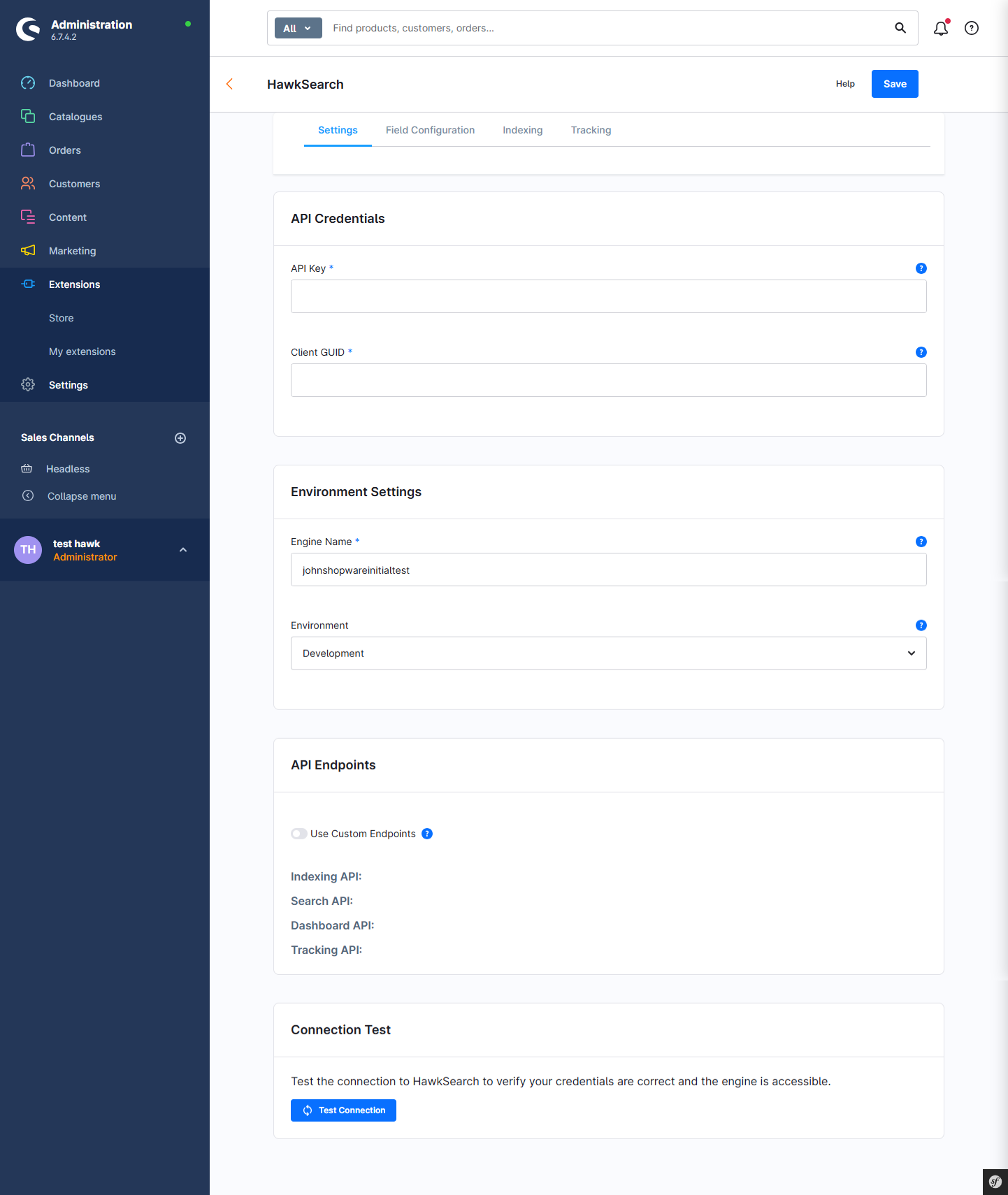
| Setting | Notes |
|---|---|
| API Credentials | This is for your HawkSearch instance. Instructions to find the API key once logged in are here: https://developerdocs.hawksearch.com/reference/authentication. The Client GUID is also on the same screen right next to the API key. |
| Environment settings | This includes the name of your engine and environment for reference purposes. The engine name is right above the API Key. |
| API Endpoints (default) | There are default endpoints used especially in the development environment, but once you get set up in HawkSearch, you should receive a vanity url which includes is based on your organization name. |
| API Endpoints (vanity) | As described above, the vanity URL for your APIs provide additional tracking and support features and can be received from your HawkSearch contact. |
| Connection test | This is a quick way to send a ping request to your environment to make sure the settings are correct. |
Fields
Now that your Shopware instance is connected to your HawkSearch environment, you can synchronize the fields to your index. There are default fields that will already be configured, but you can adjust these settings as needed. Note that custom fields in Shopware will not be selected by default and you must select those manually.
| Feature | Notes |
|---|---|
| Type | HawkSearch supports the following four field type options: - Text - Number - Boolean - Date If you are not sure of the field type in Shopware, then please contact HawkSearch support |
| Indexed | Indicates that you do want to send this field to the HawkSearch index. |
| Searchable | Indicates if the field should be used in the search itself. There are some fields that are used for facets or other use cases and will not actually be searched for in the search bar. In this case, you can leave this option off. |
| Status | Indicates if the fields have been synched or not. |
Once you are done with your configuration settings, click on the the "Synch to HawkSearch" button to create those fields in HawkSearch. You do not need to adjust these settings unless a field is added or removed.
ID (primary key)
Note that you can not change the primary key field called "ID" because that field is critical for the HawkSearch index. There should be no need to make changes to that field.
Indexing
The indexing process is a critical step in sending product updates from your Shopware catalog into HawkSearch. Typically there is a nightly or weekly index that changes out the entire index and repopulates a new index with the latest product updates. This it typically done during off hours. The HawkSearch indexing process is described here: https://developerdocs.hawksearch.com/docs/indexing-api-examples.
Indexing Impact on Production
None of the indexing processes and configuration settings described below impact your live site search. A complete new index is done to a backup index while your "live" index is still running. Once the indexing process is complete, the new index is promoted to "live."
Integration Status
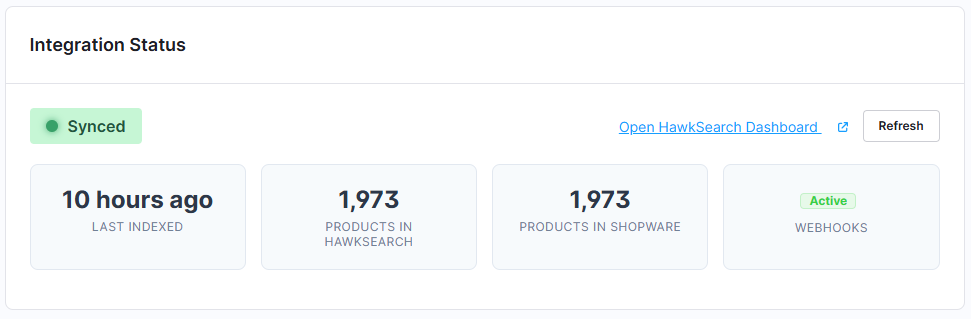
The integration status provides a nice overview of the current environment status and provides some high level information about your configuration settings.
Link to HawkSearch
This link will take you to HawkSearch where you can log in and perform your merchandising tasks. It uses the settings from the Settings tab.
Scheduled Reindex Settings
This critical feature allows you to set when you would like to schedule your full indexing process.
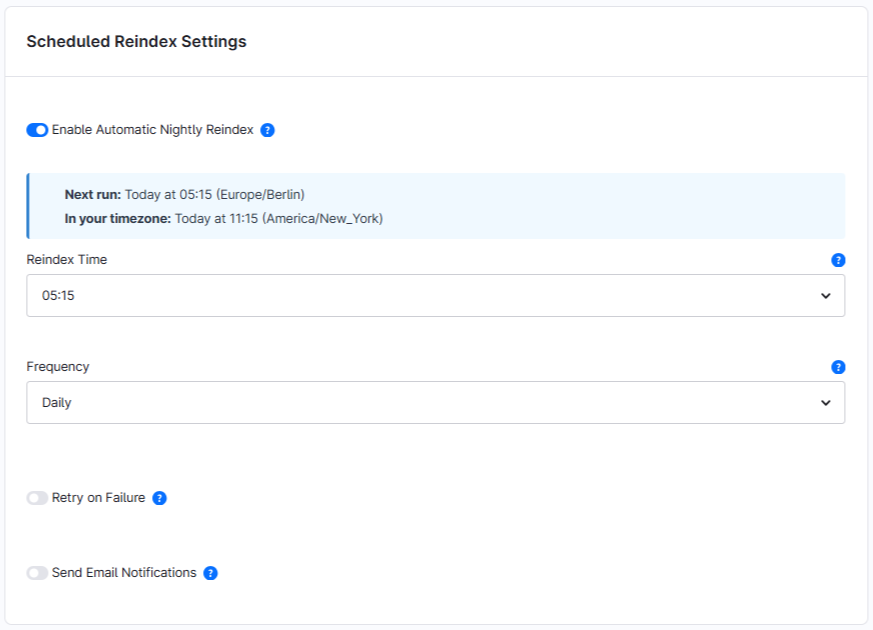
The settings for time and frequency allow for flexibility on how often to reindex. If your product catalog does not change often, then the frequency should be lower. There are explanations for each feature in the "?" info popup.
Webhook settings
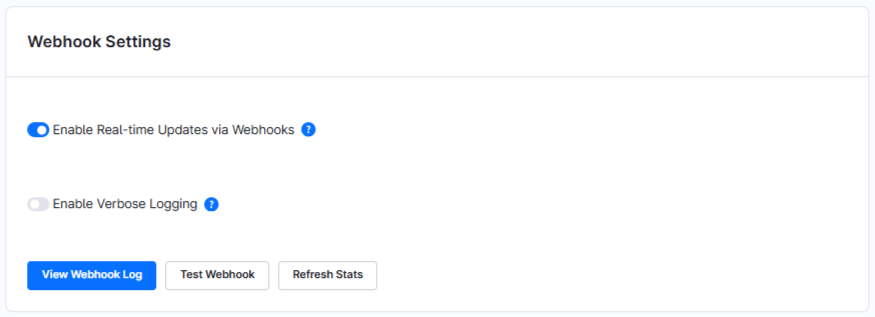
Webhooks are a core Shopware feature to trigger an API call based on event. In this case, the webhook is triggered when a product is updated. In this case, only that product in HawkSearch is updated. HawkSearch refers to this as a "Partial Index" and it is common to happen throughout the day as changes are made to your product catalog. The update should appear in HawkSearch search results within moments of the update.
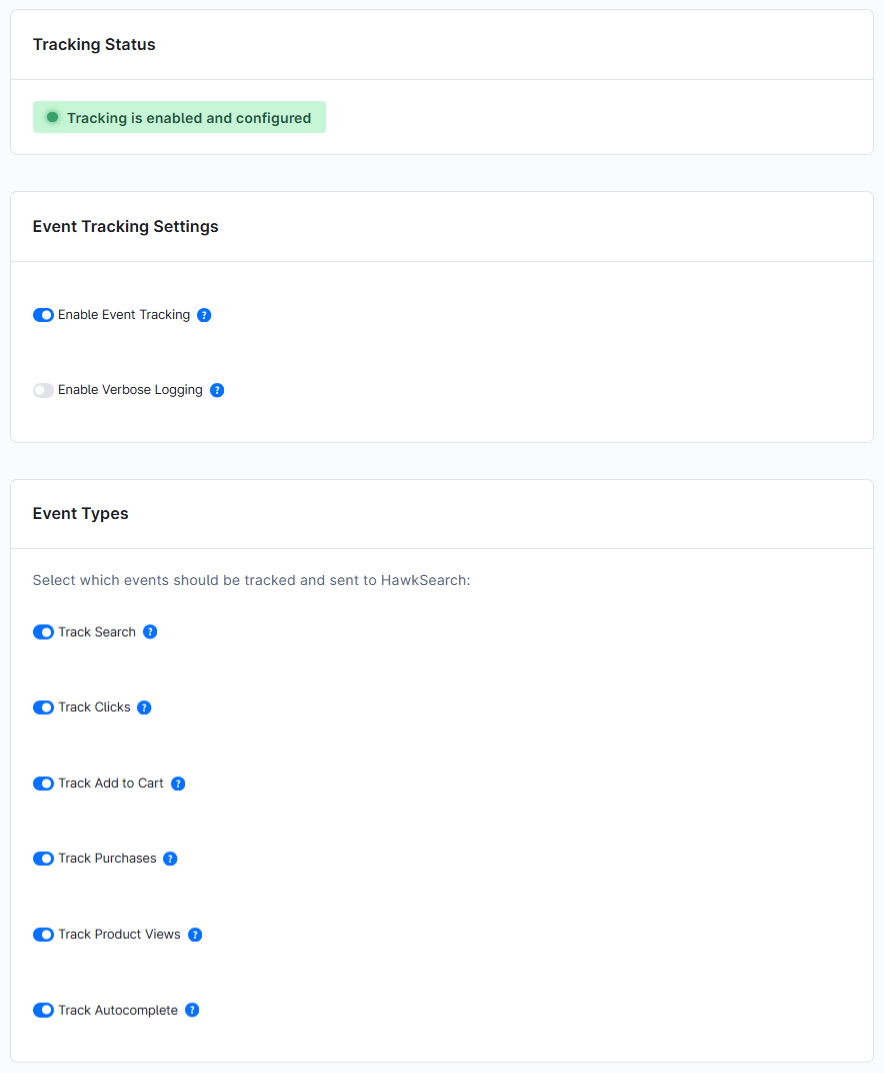
There is a log of all Webhook calls and the ability to test your Webhooks configuration when setting up the configuration. The Enable Verbose Logging is helpful in researching potential problems - especially when first using the connector. After the configuration settings are stable, then you can turn off that setting.
Manual Reindex
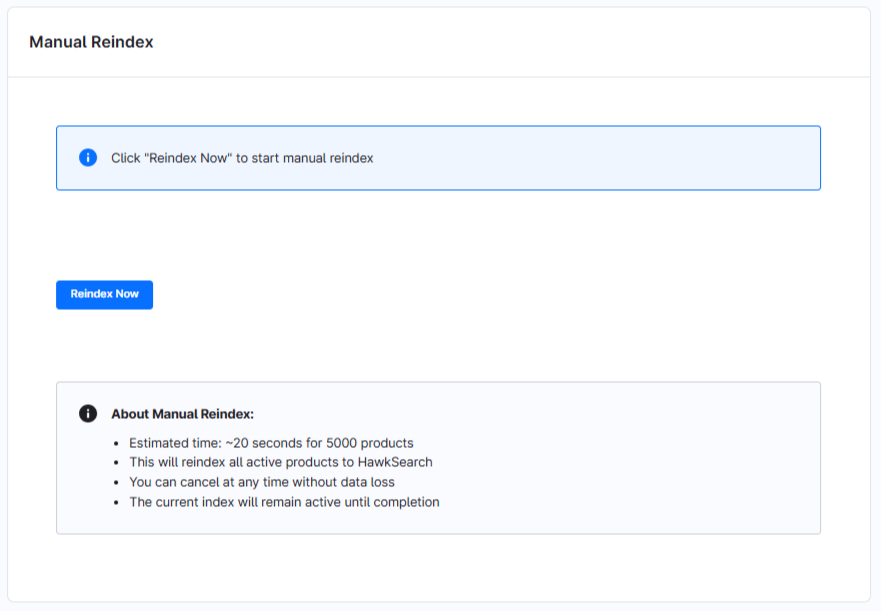
There may be times when you need to do a complete reindex of all of the products outside of the scheduled sequence described above. As mentioned already, this process will not impact the production search on your site, this process will index to a backup index and when complete, that new index will be promoted to the live site.
Indexing History
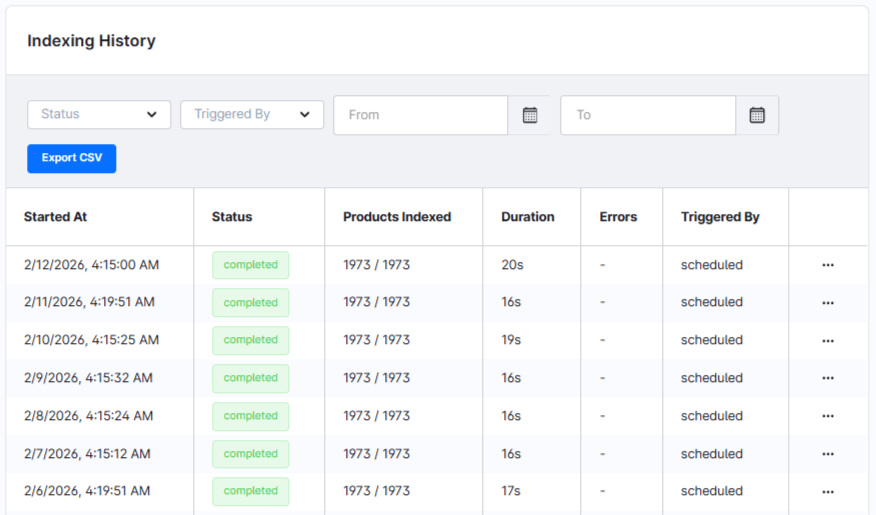
These are the logs of each of your full indexing process with full details on the number of items that were indexed, the duration and how it was triggered. Additional details on the index are available by clicking on the three dots at the end of each row. As the number of indexing logs grows, you can leverage the search option above to the find the log in question.
Tracking
In order to support reporting and features such as Recommendations and Instant Engage, the front end site captures visitor activity. The visitor id is stored in a first party cookie and is completely anonymous. More details can be found here: https://developerdocs.hawksearch.com/docs/event-tracking-api
Updated 8 months ago