

Front End Search
The default search UX in the default Shopify template can be changed and modified in the Shopify design tool.
Editing Theme
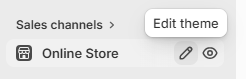
You can edit the theme by clicking on the edit theme option when you mouseover the Online Store Link.
This will take you to the design area to customize your site experience. In the top of the page there are options for setting the App Embeds. You will see the HawkSearch logo and app name there. When you turn on that option, the search experience will be replaced with HawkSearch
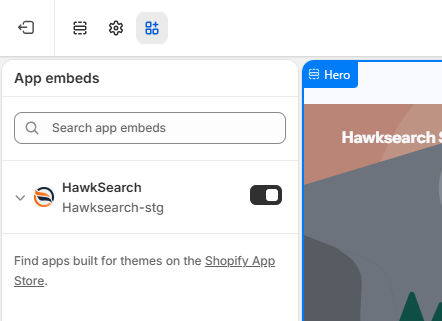
The changes will include:
- Search bar
- Autocomplete
- Search results
Standard template changes
If you want to change the style of the default template - this is done through standard CSS options in the template.
Updated about 2 months ago
Did this page help you?